
I conducted comprehensive field research to understand the unique challenges faced by technicians working in commercial kitchen environments:
The Problem
Field technicians at Filta were struggling with app usability while wearing protective gloves during kitchen equipment cleaning services. The existing interface had small touch targets and poor contrast, leading to operational inefficiencies, data entry errors, and frustrated workers who needed to remove gloves frequently to interact with the app.
The Solution
I redesigned the Filta app interface with a "glove-first" approach, prioritizing larger touch targets, improved color contrast, simplified workflows, and accessibility compliance to create a seamless experience for field technicians working in challenging environments.
Key Challenges Identified
- Glove Interaction Issues: Technicians wearing protective gloves couldn't accurately tap small interface elements
- Poor Color Contrast: Made it difficult to read information in various lighting conditions
- Complex Workflows: Caused confusion and slowed down service completion
- Accessibility Standards: Not being met, violating WCAG guidelines
- No Gloved-Hand Consideration: No consideration for gloved-hand interaction patterns
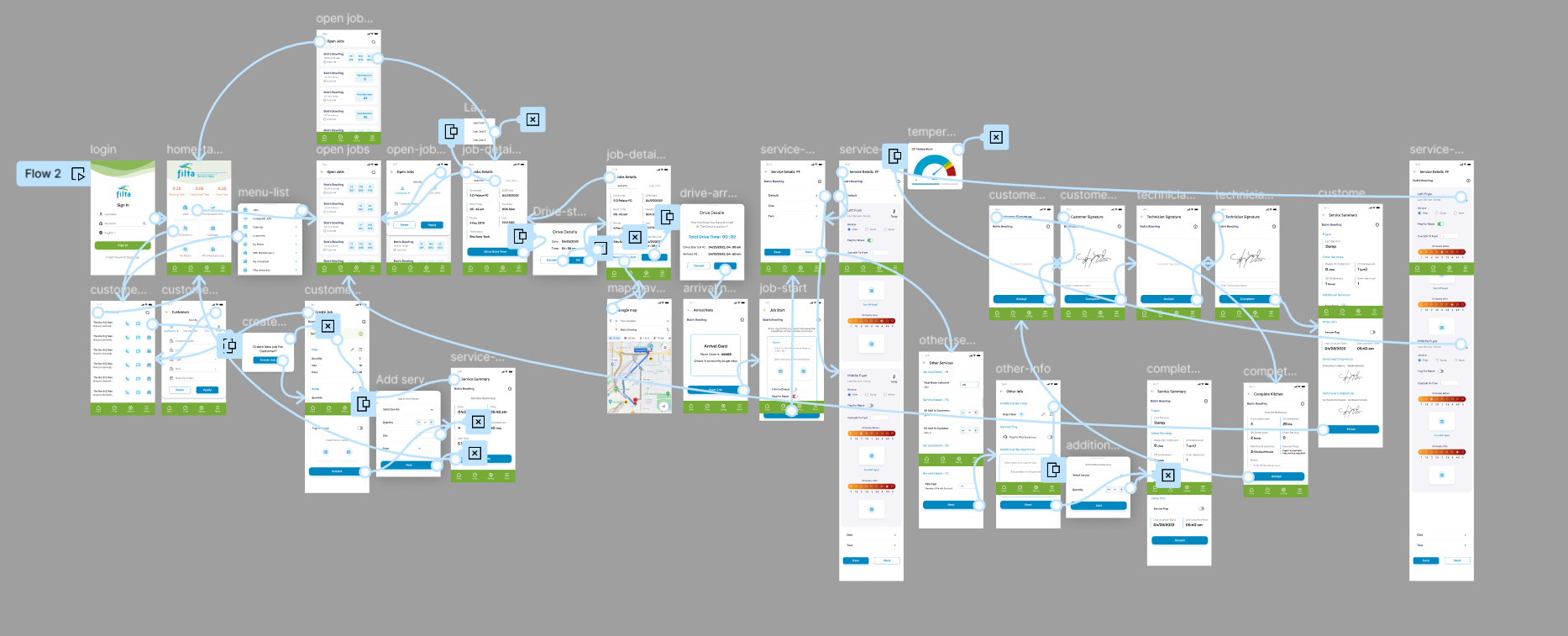
App Prototype Demo
Context & Background
Filta manages kitchen equipment cleaning services for restaurants and food establishments through their mobile app. Their field technicians and franchisees use the app to track jobs, time onsite, and enter service information. The company's live app can be found on the App Store and serves The Filta Group, Inc.
My Role & Responsibilities
As the UI/UX Designer, I was responsible for:
- Conducting field research with maintenance and service technicians
- Analyzing existing interface pain points and accessibility issues
- Redesigning the complete user interface with focus on gloved-hand usability
- Creating high-fidelity prototypes and conducting usability testing
- Ensuring compliance with accessibility standards (WCAG guidelines)
- Collaborating with development team on implementation feasibility
Research & Discovery
1
Field Observation
Shadowed maintenance and service technicians during actual kitchen cleaning services to observe real-world app usage challenges and workflow patterns.
2
User Interviews
Conducted one-on-one interviews with 12 field technicians to understand pain points, frustrations, and desired improvements in the current interface.
3
Usability Audit
Performed comprehensive accessibility and usability audit of existing interface, identifying violations of WCAG guidelines and mobile interaction best practices.
Key Research Insights
- 85% of technicians reported difficulty using the app while wearing required safety gloves
- Average time lost: 3-5 minutes per job due to glove removal for app interaction
- Primary pain point: Small touch targets (below 44px minimum recommended size)
- Color contrast issues: Text readability problems in 60% of kitchen lighting conditions
- Workflow confusion: Complex navigation caused 40% increase in task completion time
Design Solution
Core Design Improvements
1
Enhanced Touch Targets
Increased all interactive elements to minimum 48px with adequate spacing between buttons to prevent accidental taps while wearing gloves.
2
Improved Color Contrast
Redesigned color palette to meet WCAG AA standards with high contrast ratios for better readability in various kitchen lighting conditions.
3
Simplified Workflows
Streamlined navigation and reduced cognitive load by reorganizing information hierarchy and improving copywriting clarity.
4
Accessibility Compliance
Implemented full WCAG 2.1 AA compliance including proper heading structure, alt text, and screen reader compatibility.
"The design philosophy was 'glove-first' - if a technician can't use it efficiently while wearing protective equipment, it's not truly usable for this context."
Interface Transformation
Previous UI - Identifying Pain Points
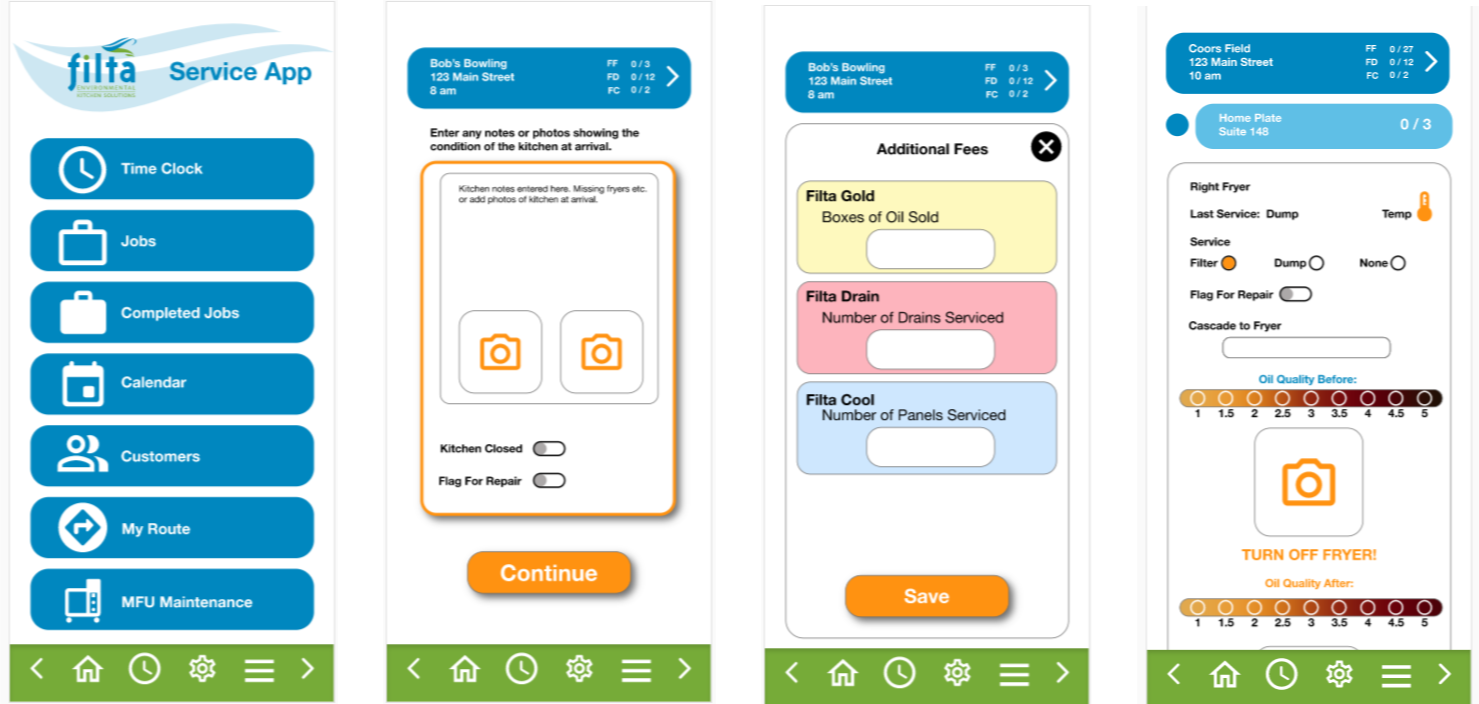
Original interface with small touch targets, poor contrast, and cramped layout
New UI - Optimized for Field Use
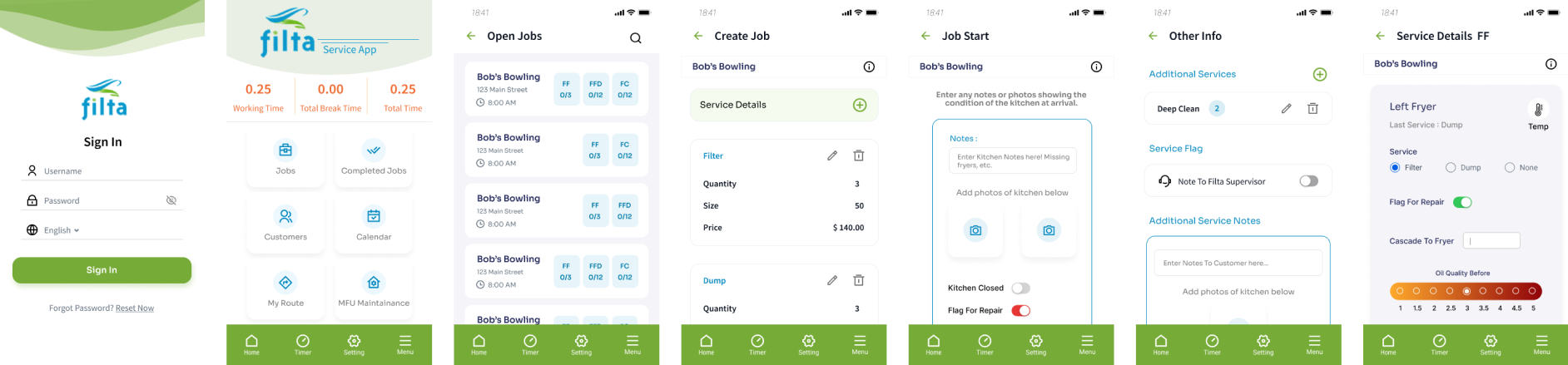
Redesigned interface with glove-friendly touch targets, high contrast, and streamlined workflows
Impact & Results
65%
Reduction in Task Completion Time
90%
Improvement in User Satisfaction
3-5 min
Time Saved Per Job
100%
WCAG AA Compliance
78%
Reduction in Data Entry Errors
48px+
Minimum Touch Target Size
Business Impact
The redesigned interface eliminated the need for technicians to remove gloves during app interaction, saving 3-5 minutes per job and reducing safety risks. Improved workflows and accessibility compliance positioned Filta as an industry leader in mobile-first field service applications.
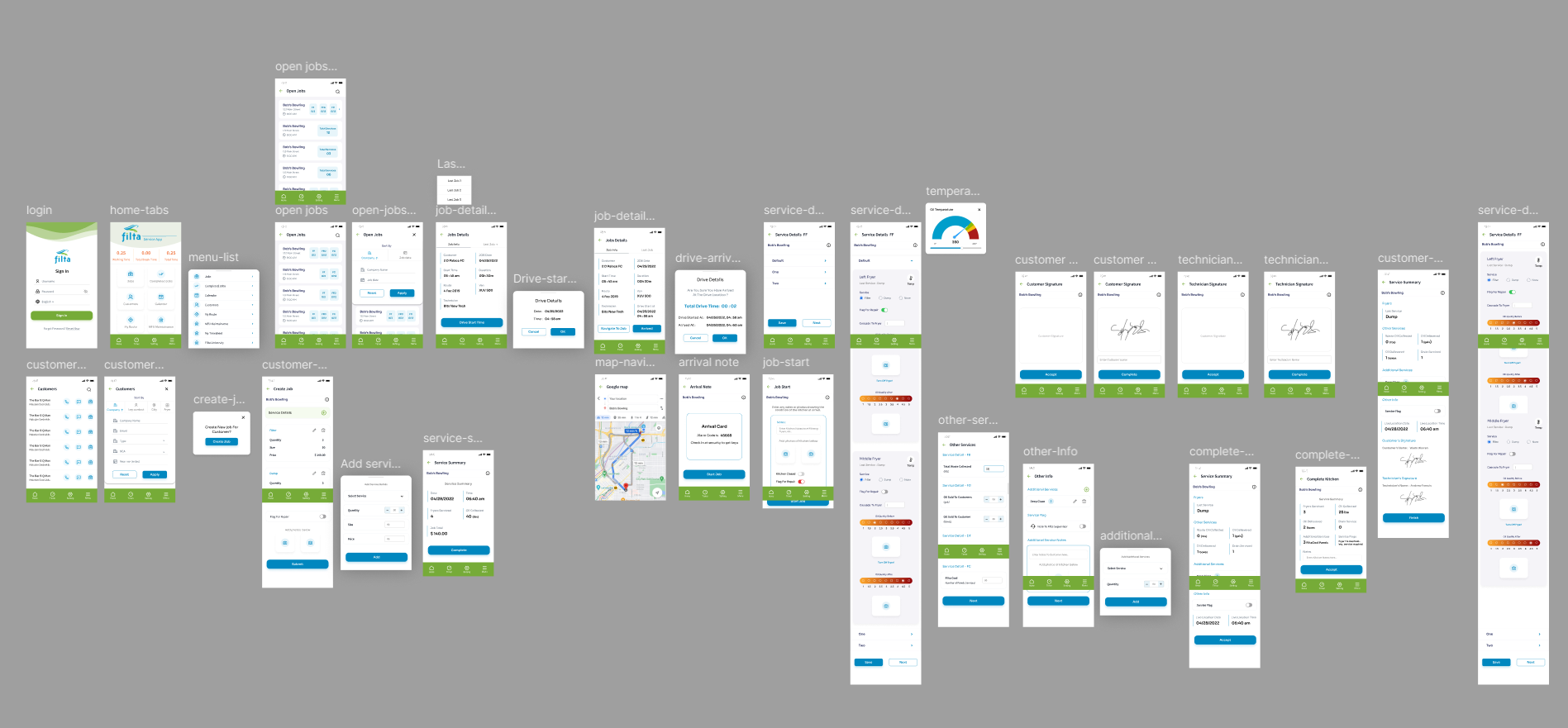
Design Process Gallery
Key Learnings & Future Metrics
What I Learned
- Context-specific design is crucial - understanding the physical constraints of users (gloves, lighting, environment) drives better solutions
- Accessibility isn't optional - designing for accessibility benefits all users and often reveals innovative solutions
- Field research is invaluable - observing real-world usage revealed issues that wouldn't be apparent in lab testing
- Small changes, big impact - increasing touch target size by just a few pixels dramatically improved usability
Metrics I Would Track for Future Projects
- Task completion rate with gloves vs. without gloves
- Error rate per interaction type (tap, swipe, scroll)
- Time spent per screen/workflow step
- User satisfaction scores segmented by experience level
- App abandonment rate during data entry tasks
- Accessibility compliance score across all interface elements
- Customer support tickets related to app usability issues